
Build a Mobile App for Your Website, Step by Step
Plan, build, test, and launch a mobile app that works with your website.

Start with the right kind of mobile app
To make a mobile app for your website, first decide what users need on their phones. Then choose a build path, design the key screens, connect your site’s data, and test the app on real devices. You can build a mobile web app, wrap your current site, or create a native app for app stores.
A mobile web app runs in a phone’s browser and adapts to smaller screens. A native app is installed from an app store and can use more phone features. A wrapper places your website inside an app shell, but it does not fix a poor mobile site.
Start by asking how often people use your site on phones. Check which tasks they do, where they struggle, and whether they need features such as push alerts or offline access. This evidence helps you avoid building an app that adds little value.
- Choose a mobile web app for quick access without an app store listing.
- Choose a wrapper when your mobile site works well and you need store access.
- Choose a native app when phone features or offline use matter most.
Why build an app for your website?
A well-made app can make repeat visits easier. Users may open it from their home screen instead of typing your address into a browser. Push alerts can also share timely updates, but users should control which alerts they receive.
Apps can give people a smoother path through common tasks. For example, a booking site might let returning customers view past visits and rebook in fewer steps. A shop might save wish lists or show order updates.
These gains depend on the experience, not the app store listing alone. A slow app, confusing menu, or repeated sign-in can push users away. Set a clear goal, such as raising completed bookings or reducing support requests.
Plan and build your app in clear steps

Begin with a short plan. Name the users, their main needs, and the result the app should deliver. Review site data and support questions to find the tasks that matter most.
Next, set a small first release. Keep only the core features, such as account access, search, booking, or order tracking. A focused first version is easier to build and test than a copy of every website feature.
- Map the user journey. Write down each step users take to finish the main task.
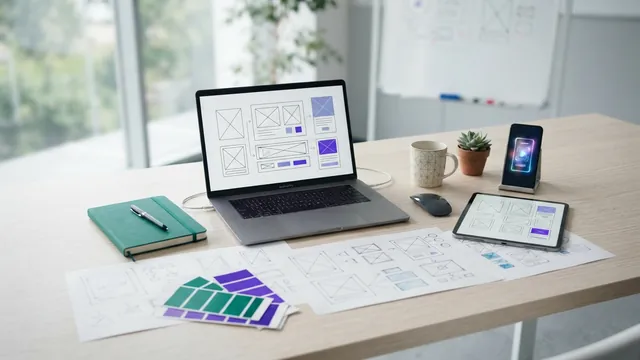
- Sketch the screens. Show where menus, actions, and key details belong.
- Pick the build path. Match the app type to your feature needs, budget, and team skills.
- Connect site data. Use a secure interface to share data between the app and your site.
- Build and review. Test small parts as you add them, rather than waiting until the end.
- Prepare the release. Set up store details, privacy notes, support, and a launch plan.
Plan how the app will handle accounts and data before coding starts. Keep the same source of truth for key details, such as prices or booking times. This helps prevent users from seeing different information on the app and website.
Choose tools that fit your team

React Native and Flutter are popular tools for building apps across mobile platforms. They let teams share much of their code between iOS and Android. The best choice depends on your team’s skills, the app’s needs, and the tools your current site already uses.
React Native’s getting-started guide covers its app build path and core setup. Flutter has its own app tools and language. Try a small test build before choosing either framework for a larger project.
Django is a web framework for Python. It can power the backend that stores data, manages accounts, and sends information to an app. It does not build the phone app’s screens by itself, so pair it with a mobile app framework when you need an installed app.
For a mobile web app, your current website may need a responsive redesign rather than a full rebuild. A responsive layout shifts content to fit different screen sizes. If the app must share data with your site, ask your developer about an API, a set of rules for data exchange.
- React Native: a fit for teams that know JavaScript and need iOS and Android apps.
- Flutter: a fit for teams that want one codebase and can learn Dart.
- Django: a fit for backend work when the team uses Python.
- Responsive web app: a fit when users need easy browser access, not an app store listing.
Design around phone use
Good user experience starts with the task users came to do. Put the main action where it is easy to find, and keep menus short. Use familiar labels and avoid making users hunt through several screens.
Make touch targets large enough to tap without care. Keep key text readable on small screens, and leave space between nearby actions. Forms should ask only for details needed to finish the task.
Design for a range of screen sizes and both major mobile systems. Check how layouts change on narrow and wide phones. Also test with larger text settings and screen readers, since these can change how content appears and works.
Keep the app’s look close to your website, but do not simply shrink desktop pages. A phone screen needs a clear order of content and fewer choices at once. Small design tests can reveal confusing steps before they reach the full build.
Test the app, then plan the launch
Test with people who match your likely users. Ask them to complete real tasks, such as finding an item or changing a booking. Watch where they pause or make mistakes, then fix the cause rather than adding more instructions.
Check speed, crashes, and data use on more than one device. Test older phones as well as newer models, and check both iOS and Android if you support them. Try weak network links and interruptions, such as a call during a form.
- Usability checks: Can users finish key tasks without help?
- Speed checks: Do screens open and respond without long waits?
- Device checks: Do layout and features work across phones and systems?
- Security checks: Are sign-in and personal data handled with care?
For a store app, prepare store pages, app details, privacy information, and support channels. Follow each store’s current rules before you submit. Promote the launch through your website, email, and social channels, then track installs and task completion.
Review user feedback and app use after release. Fix errors first, then improve features that support your main goal. A launch is the start of ongoing care, not the end of the work.
Choose the next step for your project
The best way to make a mobile app for an existing website is to start with user needs, not a framework. Decide whether a responsive web app, a wrapper, or a native app fits those needs. Then build a small first version and test it with real users.
Write down the main task, the must-have features, and the devices you need to support. Ask your team to estimate each build path against time, cost, and future upkeep. With that plan in hand, you can move from idea to a useful app with fewer surprises.
Frequently asked questions
- How do I make a mobile app for my existing website?
- Choose a responsive web app, a wrapper, or a native app based on the features users need. Then plan the key tasks, connect site data, build, and test across devices.
- Can I use Django to create a mobile app?
- Django can run the backend, including data, accounts, and app services. Pair it with a mobile framework to build the app screens.
- Which framework is best for a mobile app?
- React Native and Flutter are common choices for apps that support iOS and Android. Test a small build and weigh team skills, app needs, and upkeep before you choose.
- How do I test a mobile app before launch?
- Ask likely users to complete key tasks, then check speed, crashes, and data use. Test on several devices and systems, including older phones and weak network links.
- Does a website app need to be published in app stores?
- No. A mobile web app runs in a browser and does not need a store listing. A native app or wrapper may use app stores to reach users.
Related reading

Turn Your Website Into an App Without Writing Code
Turn a mobile-ready website into an app with the right tools and plan.
Web Development Explained: From Code to Career
Learn web development basics, roles, tools, SEO, and career paths.

Digital Marketing Salary — What You Can Earn and Build
Explore digital marketing pay by role, experience, location, and wealth potential.